How AI writes your follow-up after a demo
Outsales joins your sales call, understands what the prospect asked for and writes the follow-up email for you. You read it, send it, and get back to closing deals.
The demo went well. Now someone has to write the recap, remember the three questions the prospect asked, attach the right link and send it today, not on Friday. Multiply that by five demos a day and your reps spend the afternoon writing emails instead of selling.
With Outsales, you don't write the follow-up after a demo. The AI does.
The problem
- Notes are scattered: half in your head, half in a doc, some in the CRM.
- The follow-up is written hours or days later, when the prospect has cooled down.
- Details get lost: the price they asked about, the feature they need, the colleague who should be in copy.
- Reps jump between calendar, notetaker, CRM and inbox just to send one email.
How Outsales does it for you
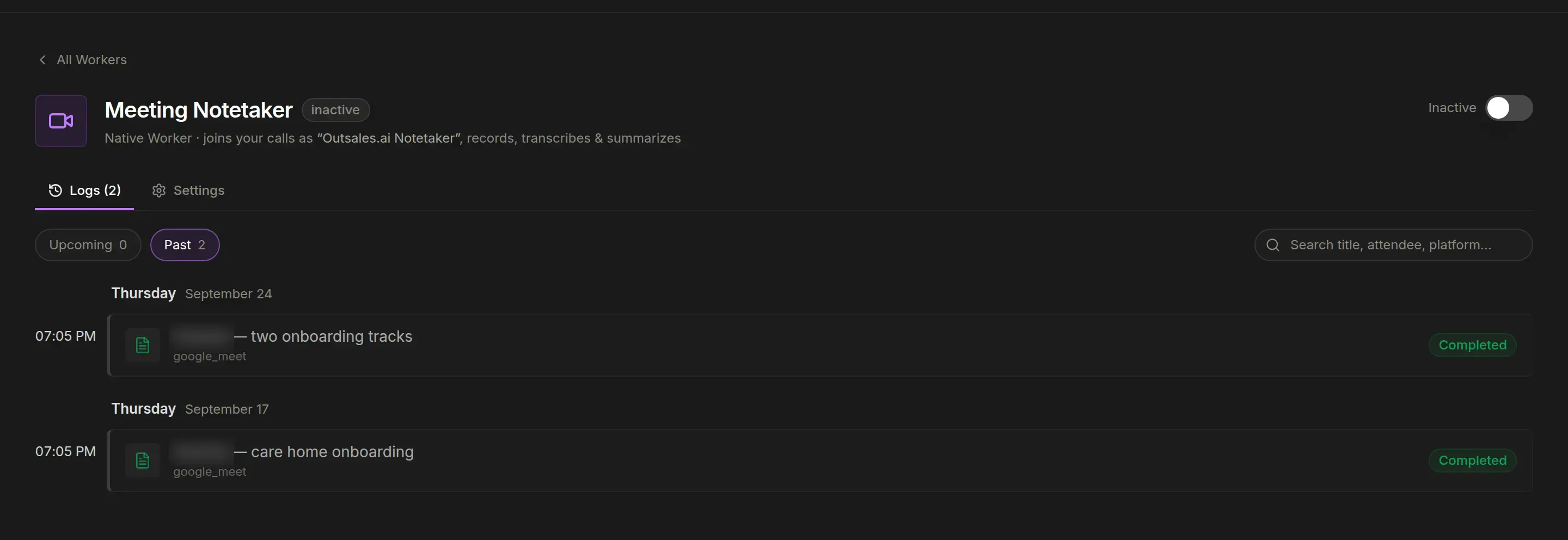
01The AI joins the call
Outsales reads your calendar and joins the calls you choose, on Google Meet, Zoom, Microsoft Teams, Webex and GoTo Meeting. It records and transcribes them. You talk to the prospect, nothing else.
02It understands what was said
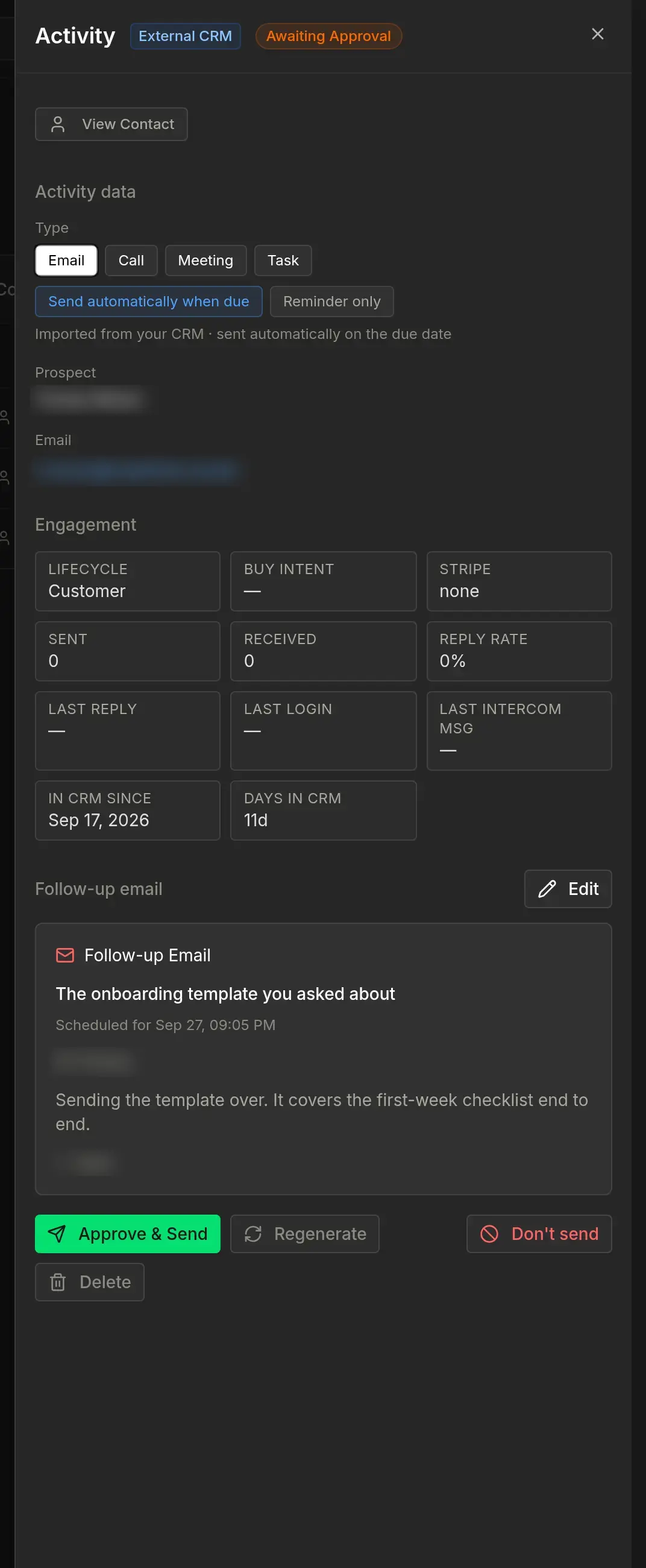
After the call the AI writes a summary onto the contact: what they need, what worried them, what they asked you to send, and what they said no to. It also updates how interested the prospect is, so you know if the deal moved forward.
03It writes the follow-up from the conversation
The AI writes the email from what was actually said on the call, the whole email thread and your company's material. It answers their questions and doesn't promise what you never offered. Then it picks the right moment to send it.
04You send it in one click, or let it go on its own
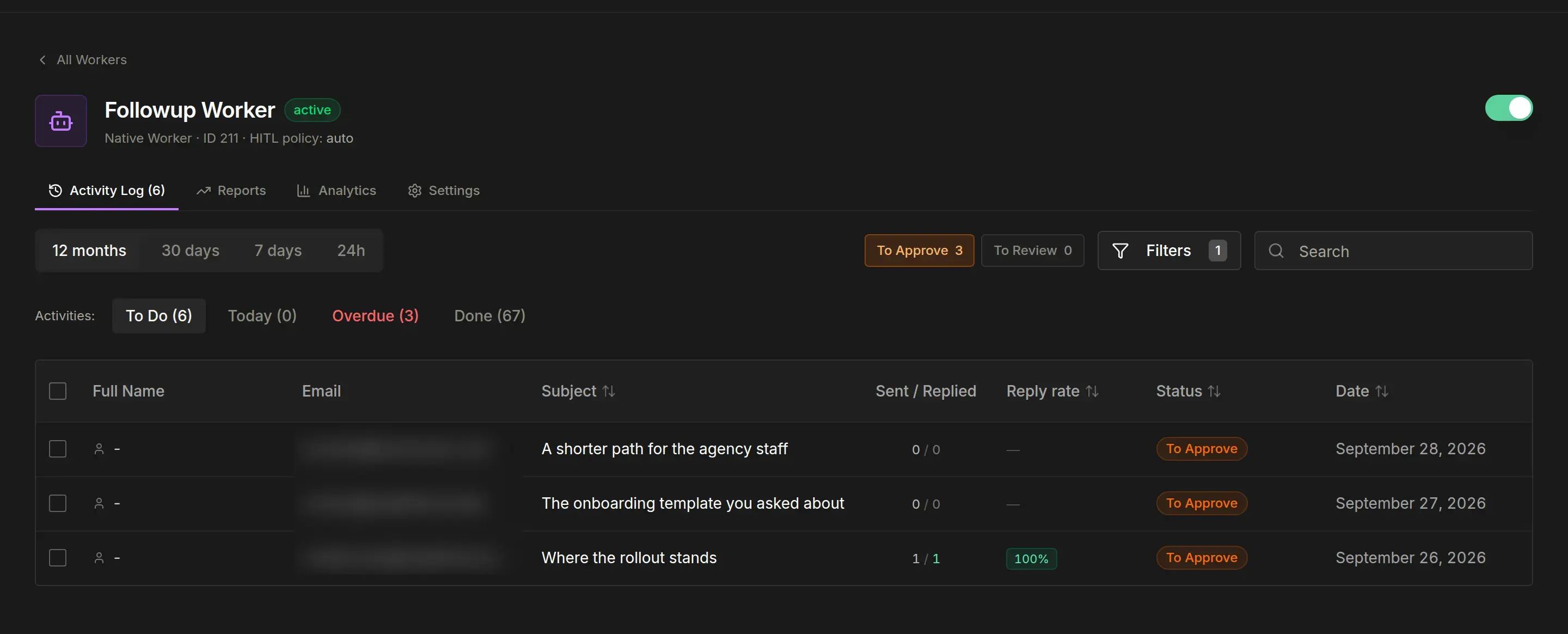
The email waits for you with the conversation behind it. Send it, change a line, or move it to another day. When you trust it, turn approval off and follow-ups leave on their own, from your mailbox, in the same thread.
05It keeps following up
No reply? The AI plans the next follow-up. A reply? It reads it and adapts. The prospect didn't show up? It schedules a recovery email the same day.
What you get
Follow-ups the same day
The email goes out while the prospect still remembers the demo.
No lost details
Everything said on the call ends up in the email and on the contact.
Hours back every week
Your reps spend the time on calls and new deals, not on writing recaps.
One tool, not four
Calendar, call notes, CRM and inbox work together without copy and paste.
Questions
Is Outsales just an AI note-taker?
No. A note-taker gives you a transcript. Outsales uses the call to update the contact, score how interested they are, write the follow-up and plan the next one. The call is one piece of the full picture of the lead.
Does the AI send emails without asking me?
Only if you want it to. By default every follow-up waits for your approval. You can turn approval off when you are ready.
Which video tools does it work with?
Google Meet, Zoom, Microsoft Teams, Webex and GoTo Meeting. It needs a connected Google or Outlook calendar.
Does it record every meeting?
No. You choose which calls to record, one by one or by words in the meeting title.
Can I try it for free?
Yes. The CRM and email sequences are free in manual mode. Turn on the AI when you want it.
Stop writing follow-ups. Start closing.
Free to start, manual forever. Turn on AI when you want it.
Start for free