AI meeting notes: the call is summarized and the follow-up is planned
Outsales joins the sales calls you choose, writes the summary onto the contact, updates buy intent and drafts the recap email for you to approve.
After a good call, the hard part starts: notes to write up, the CRM to update, a recap to send while it's still fresh. By the third call of the day, most of it doesn't happen.
Outsales takes the notes for you and turns the call into the next step.
The problem
- Notes written from memory, hours later.
- CRM records that never learn what was said on the call.
- Recap emails sent late, or not at all.
- Promises made on the call that nobody follows up.
How Outsales does it for you
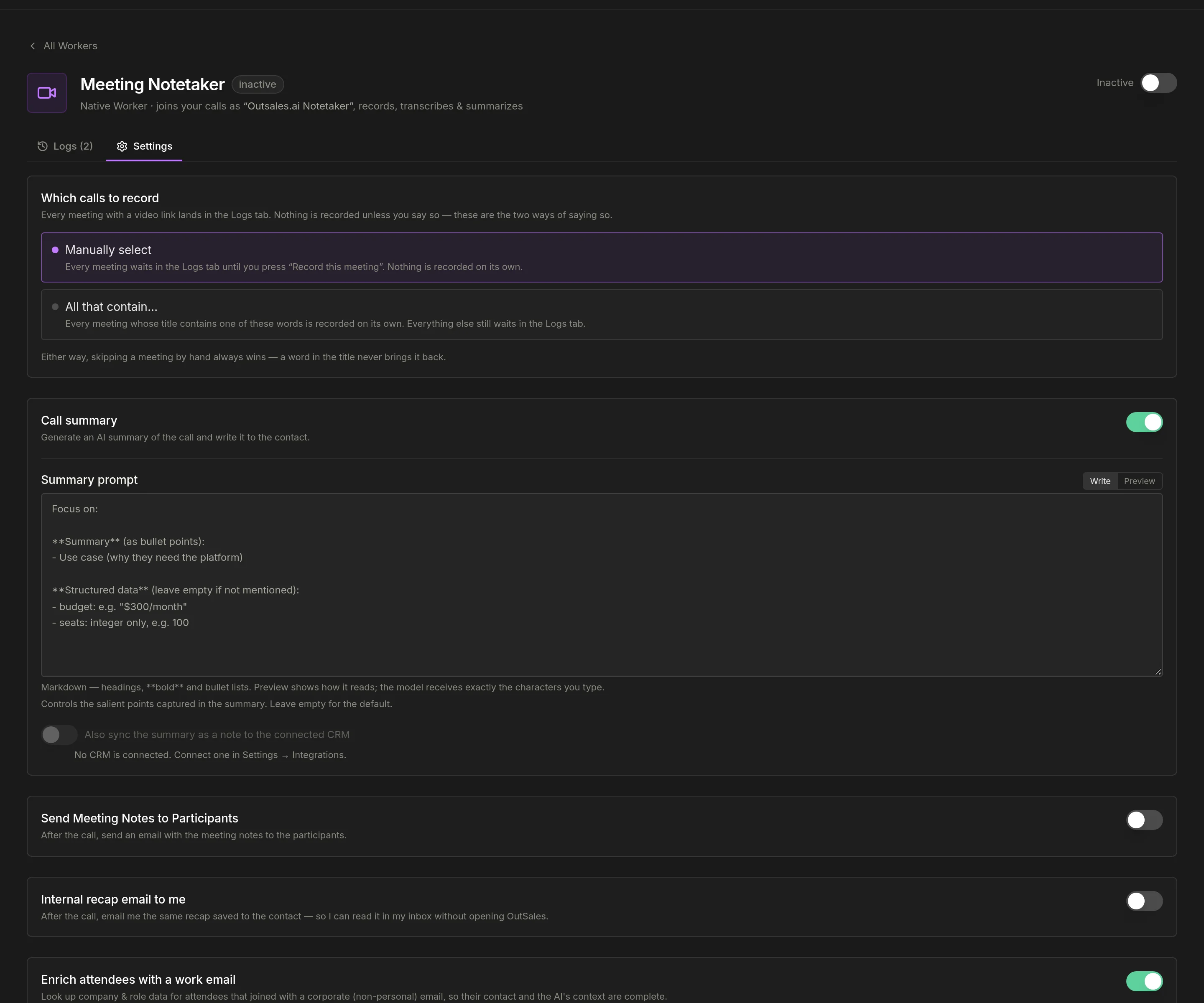
01Choose which calls to record
Pick calls one by one from your upcoming meetings, or set a rule by meeting title. Only the calls you approve are recorded, and only those create contacts in your CRM.
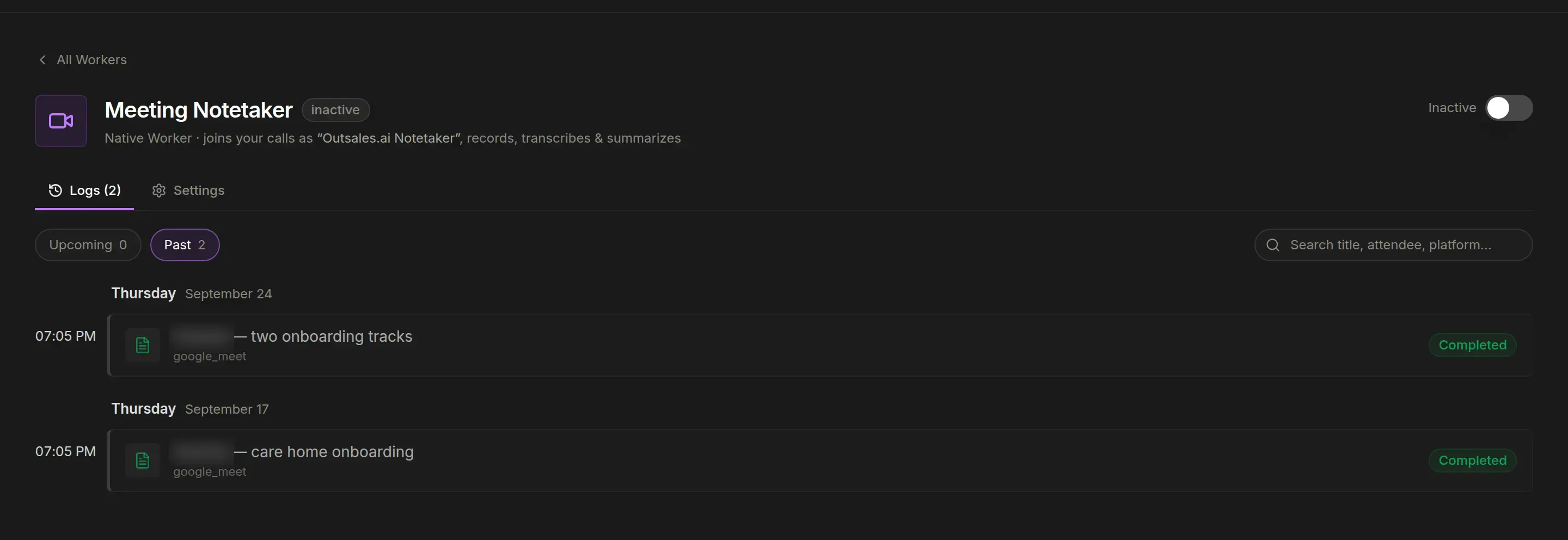
02A notetaker joins the call
It works on Zoom, Google Meet, Microsoft Teams and the other major platforms. If the link isn't one it can join, the call is simply skipped.
03The summary lands on the contact
The AI writes what was discussed, what the buyer needs, what they ruled out and the agreed next steps. Buy intent is updated from the call.
04The recap is drafted for you
A recap email to the attendees is ready to review and send. You approve it, edit it, or skip it.
05The follow-up is planned from what was said
If they asked for a proposal next week, the next touch is scheduled for then. If nobody showed up, a recovery email is planned the same day.
What you get
Full attention on the call
No typing while the buyer talks.
A CRM that learns from calls
What was said shapes the next email.
Recaps go out on time
The draft is ready when the call ends.
Questions
Is every meeting recorded?
No. Only the calls you pick, or the ones matching your title rule.
Do I need to send the recap?
No. You can turn the recap off, or skip it for a single call.
Which calendars work?
Google Calendar and Outlook, connected with your mailbox.
Stop writing follow-ups. Start closing.
Free to start, manual forever. Turn on AI when you want it.
Start for free