A shared CRM for your sales team: everyone sees every lead, one person owns each
Invite your team, and each contact gets an owner: the person whose mailbox the AI writes from. Everyone can see the contact and step in by hand.
When a team shares leads, two things go wrong: two people email the same person, or nobody does.
In Outsales every contact has one owner. The AI follows up from that person's mailbox, and the rest of the team can still see everything.
The problem
- Two reps writing to the same lead in the same week.
- Leads nobody follows up because everyone assumed someone else would.
- Contacts stranded when someone leaves the team.
- Not knowing which mailbox an automated email came from.
How Outsales does it for you
01Invite your team
In Settings → Team, add email addresses and choose Member or Admin. Admins manage the team and settings, members work contacts.
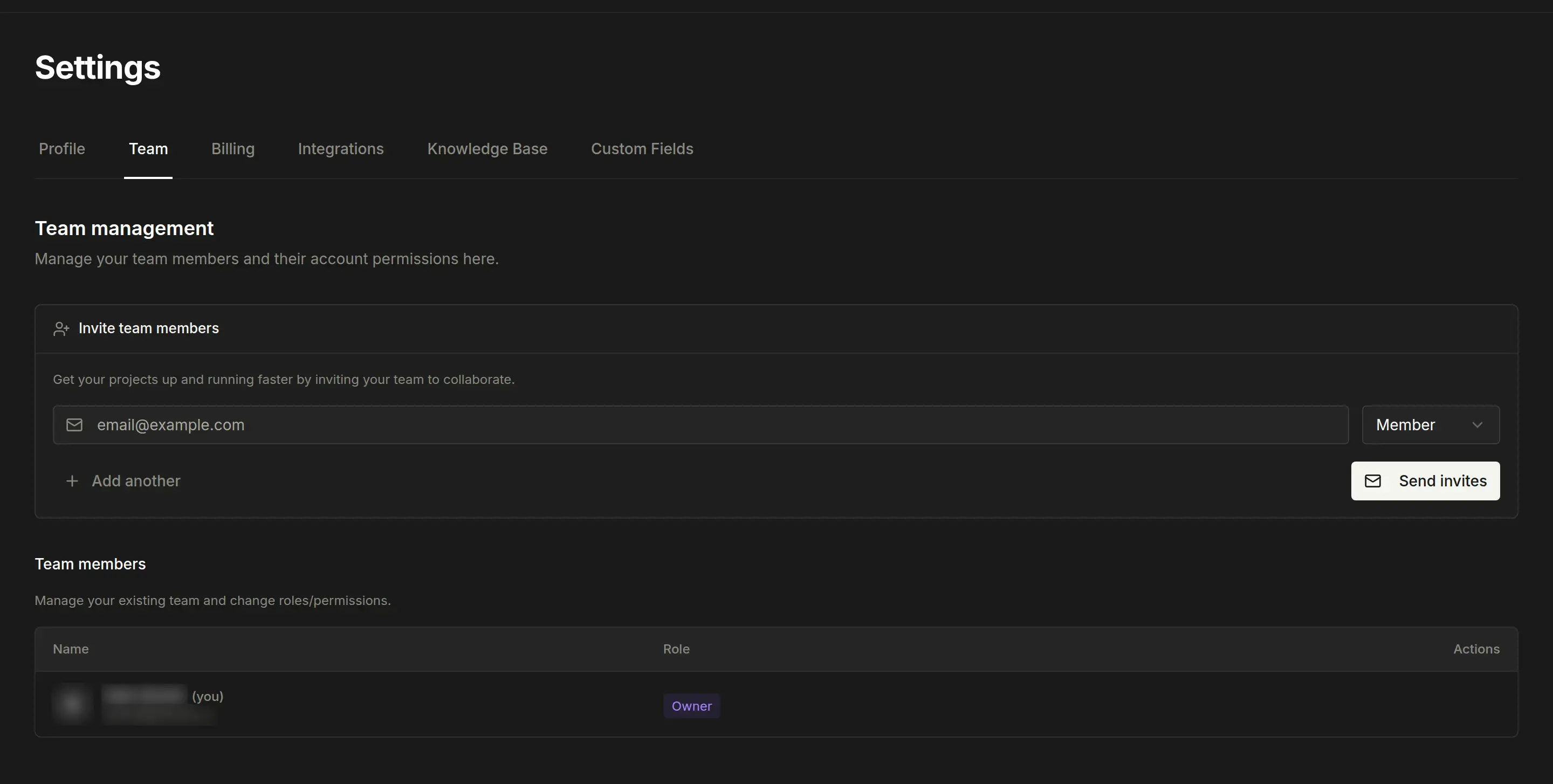
02Each contact gets an owner
The person who created it, whose mailbox received it, or whose calendar held the meeting. The AI writes to that contact from the owner's mailbox.
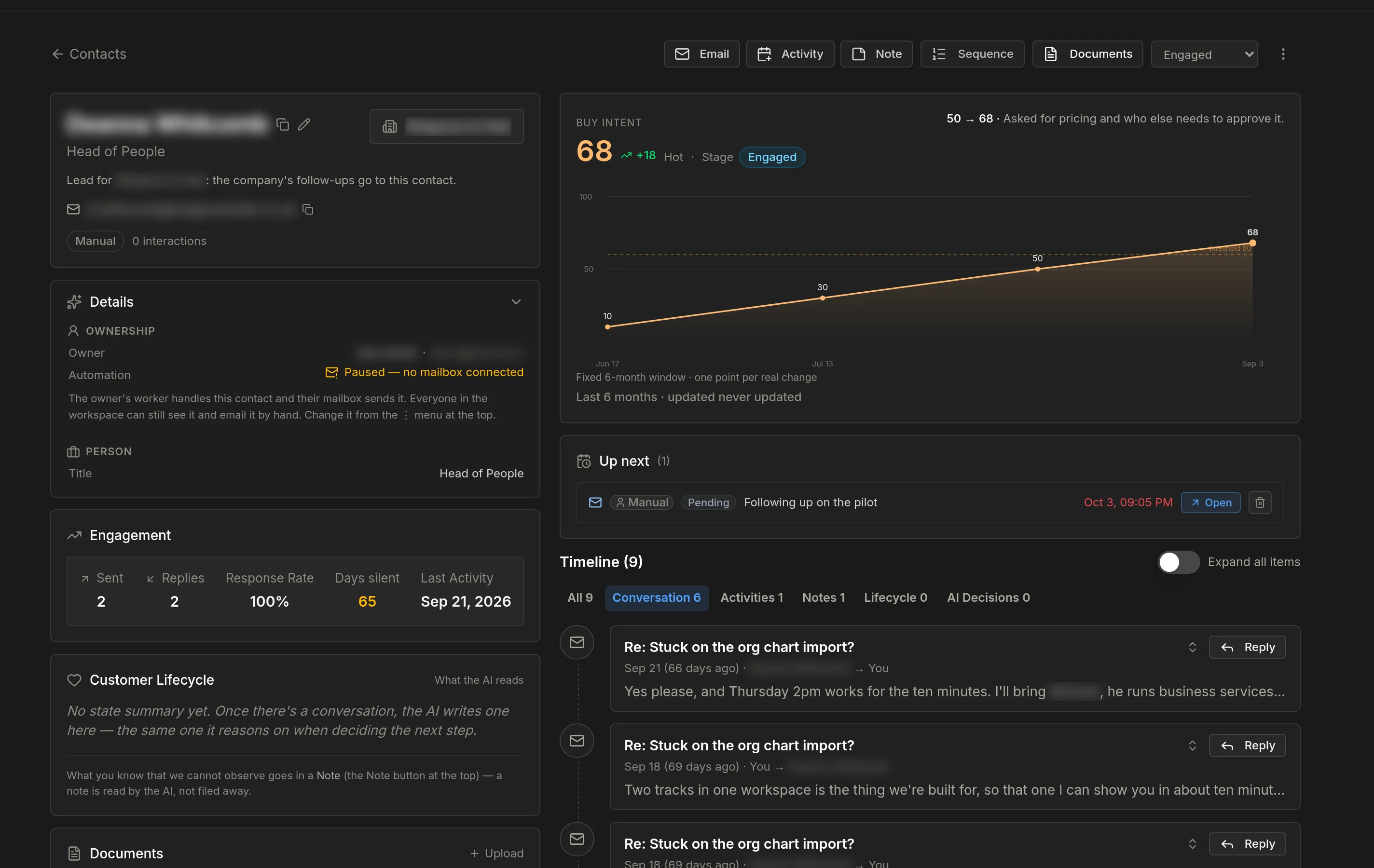
03Change it in one click
From the contact's menu, change the owner. The new owner picks the contact up and future emails leave from their mailbox.
04Nobody is left without an owner
When someone leaves the workspace, their contacts pass to the account holder. If an owner has no mailbox connected, the page says so instead of silently stopping.
What you get
No double emails
One owner per contact, one mailbox writing to them.
Full visibility
Everyone sees every contact and its history.
Clean handovers
Reassign a contact and the follow-ups go with it.
Questions
Can a teammate email a contact they don't own?
Yes, by hand. Ownership decides who the AI writes from, not who can see or write.
How many people can I add?
The free plan has one seat. Add teammates on a paid plan.
Stop writing follow-ups. Start closing.
Free to start, manual forever. Turn on AI when you want it.
Start for free