Your signature, your hours, a safe pace: how AI emails leave your mailbox
Every AI email goes out from your own mailbox, with your signature, inside the hours you choose and at a pace your email provider is comfortable with.
Automated email has a bad name because it often looks automated: wrong signature, sent at 3am, fifty at once.
Outsales sends the AI's emails the way you would send them yourself, and you decide the rules once.
The problem
- Emails landing in the middle of the night.
- Bursts of sends that hurt your mailbox reputation.
- A signature that doesn't match the rest of your email.
- Automation and manual email fighting over the same daily limit.
How Outsales does it for you
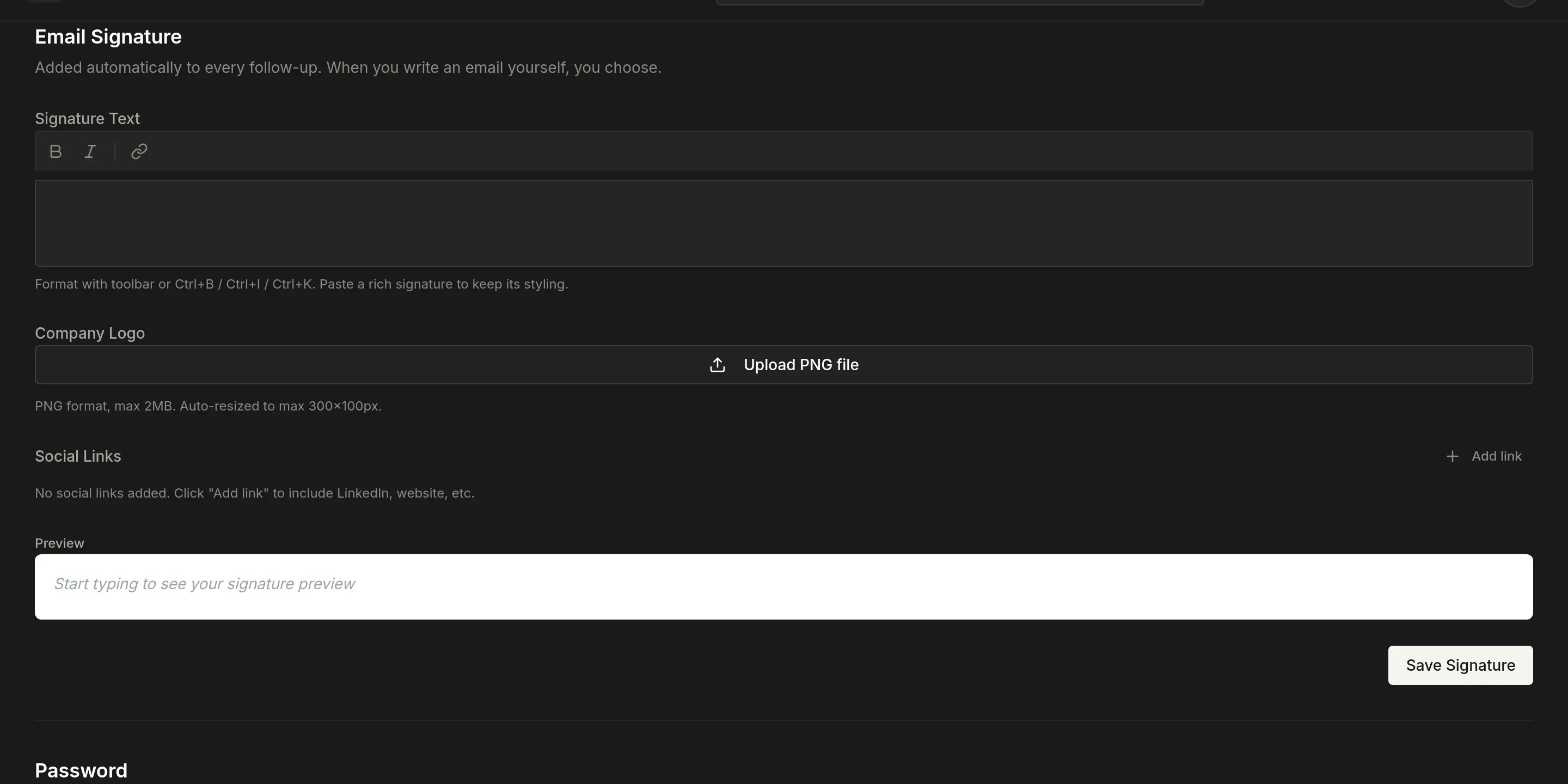
01Set your signature
In Settings → Profile: text, logo and links, with a preview. It's added to every follow-up automatically.
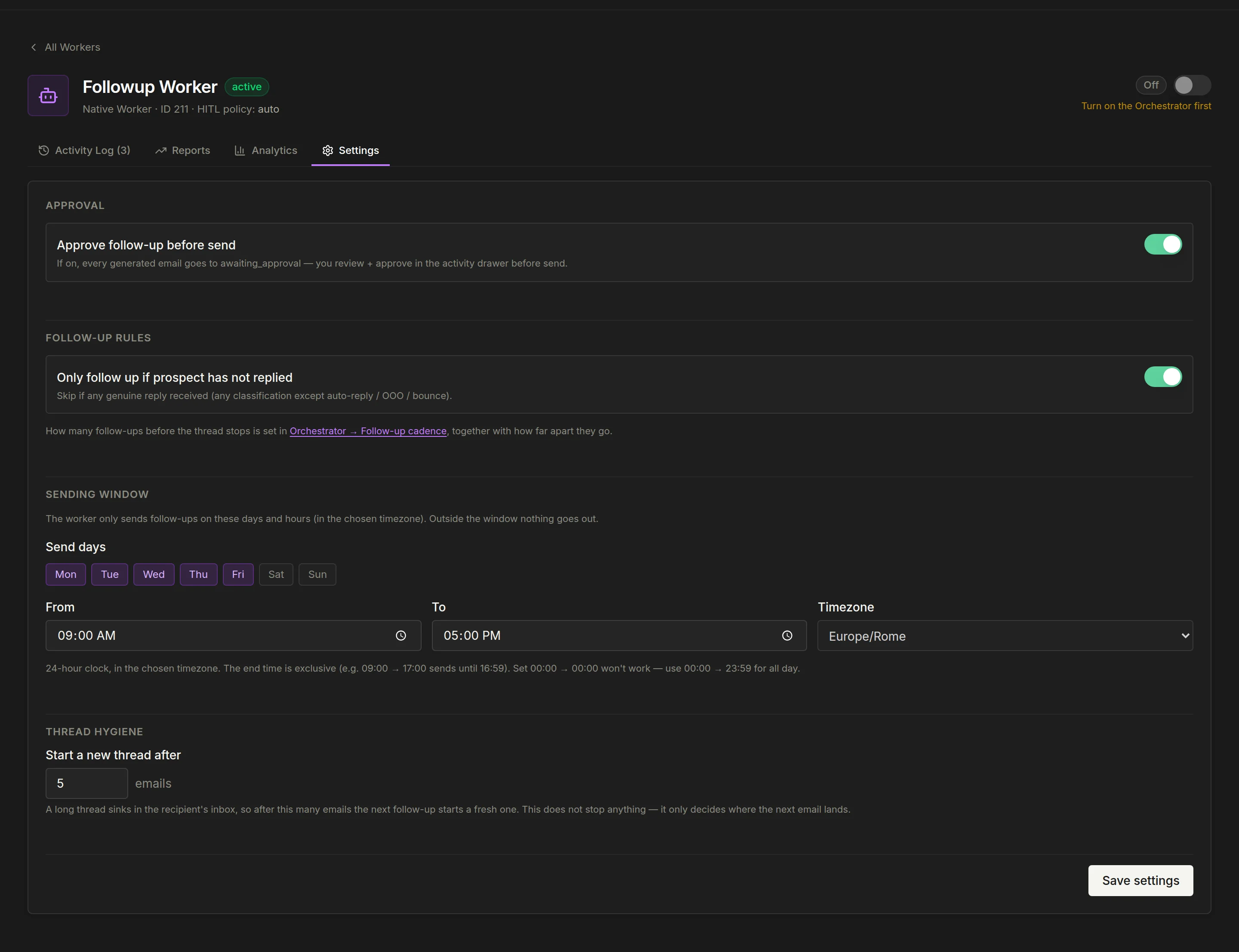
02Choose the days and hours
The sending window decides when automated emails may leave, in your time zone. By default Monday to Friday, office hours. An email due outside it waits for the next opening.
03Emails leave a few at a time
Each mailbox has a daily limit, set safely below what your provider allows. It's spread across your window, so emails go out steadily instead of in one burst.
04Nothing is lost when the day is full
An automated email that doesn't fit today leaves as soon as there's room. Emails you write yourself count towards the day but are never held back.
What you get
Looks like you sent it
Your mailbox, your thread, your signature.
Protects your domain
A steady pace instead of bursts.
Respects your prospects
No emails at 3am or on Sunday unless you want them.
Questions
Do campaigns and follow-ups share the limit?
Yes. Follow-ups, campaigns and meeting emails all count against the same mailbox, because that's how your email provider counts them.
Can I send all day, every day?
Yes. Pick every day and the full day in the sending window.
Stop writing follow-ups. Start closing.
Free to start, manual forever. Turn on AI when you want it.
Start for free