Teach the AI your company once, and every email speaks about what you sell
Fill in a short company profile and upload your documents. Follow-ups, campaigns and meeting recaps are written from them, so the AI quotes your product instead of guessing.
An AI email is only as good as what the AI knows about you. Without it, emails sound generic, or worse, promise things you don't do.
In Outsales you describe your company once and add the material you already have. Every email the AI writes starts from there.
The problem
- AI emails that could have been sent by any company.
- Features described wrong, or invented.
- Re-explaining your product in every prompt.
- One customer's quote ending up in another customer's email.
How Outsales does it for you
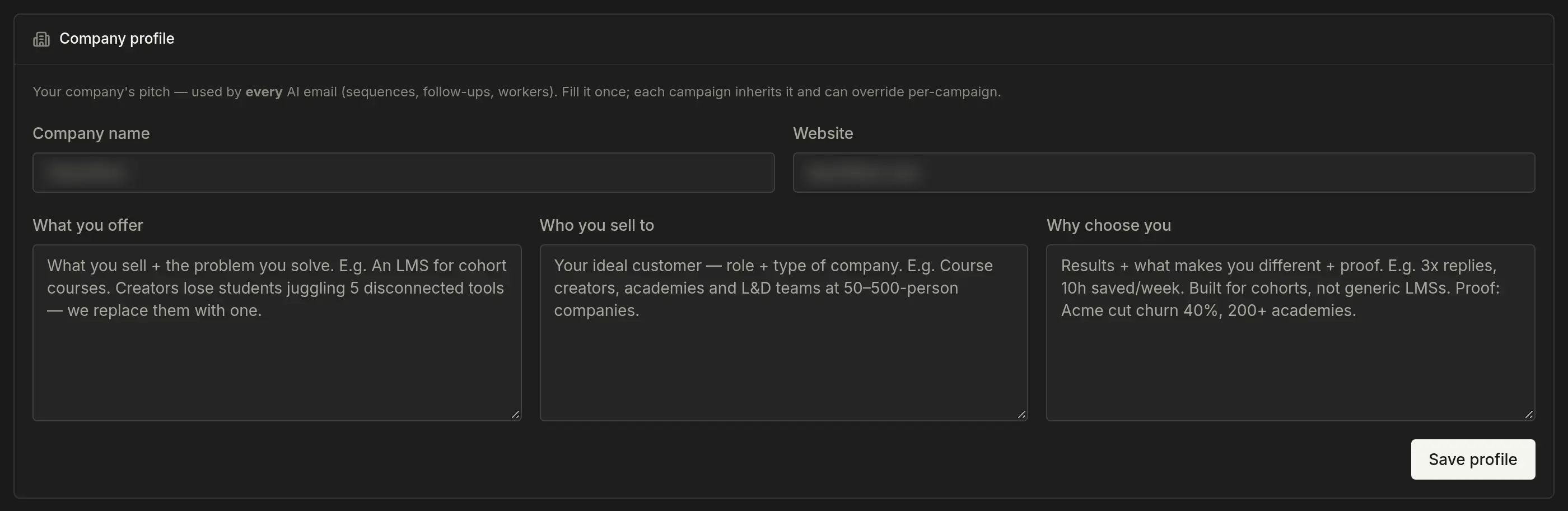
01Fill in the company profile
In Settings → Knowledge Base: what you offer, who you sell to and why they choose you. Write it the way you'd brief a new salesperson.
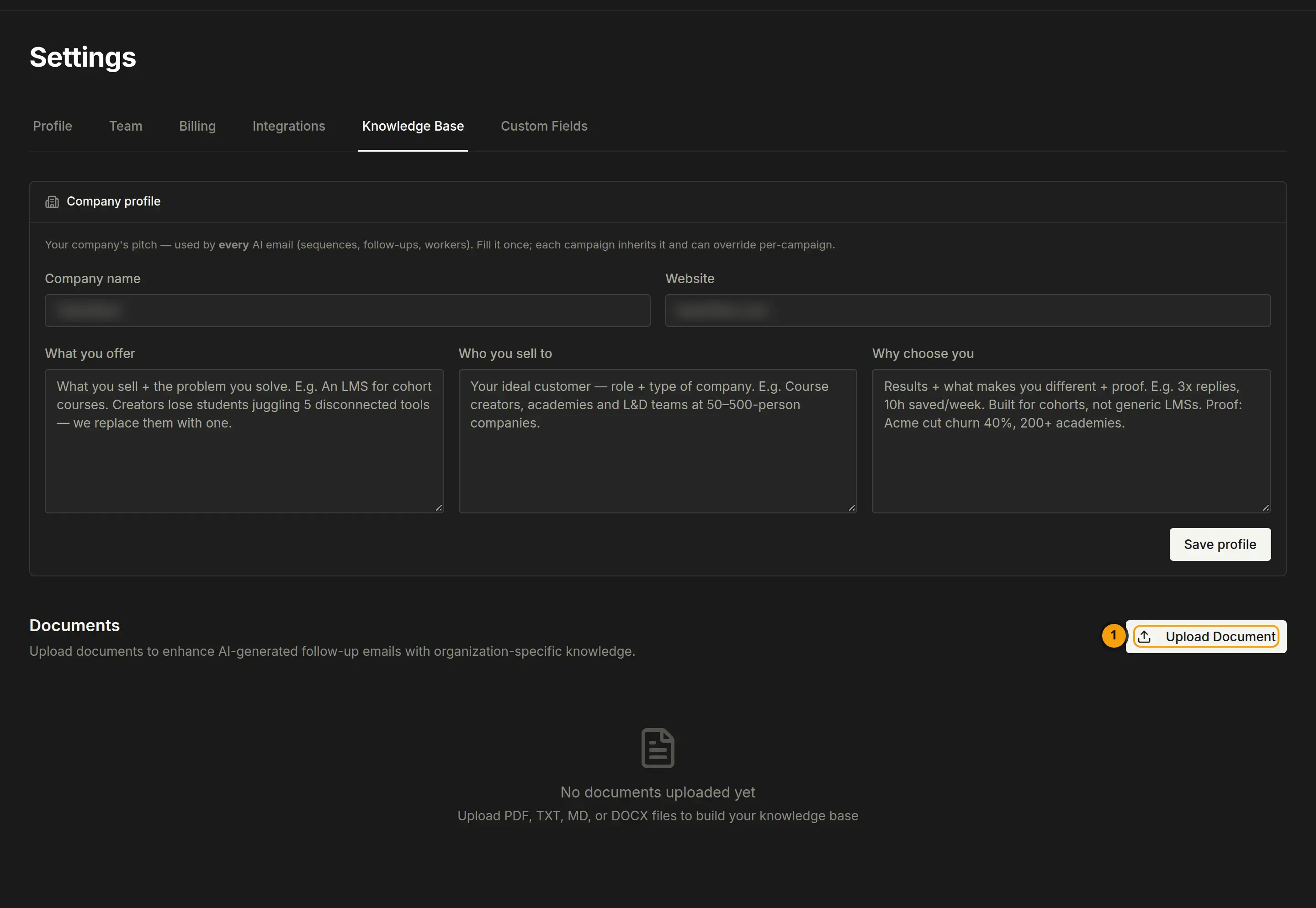
02Upload what you already have
Product sheets, case studies, FAQs. The AI reads them, and when an email needs a fact it looks it up instead of inventing it.
03Keep one customer's documents on that customer
A quote or a contract for one customer goes on their contact page. It's read only when writing to them, so their prices never reach anyone else.
04Campaigns can adjust it
Each campaign inherits the profile and can change it for its own audience, so one product can be pitched to two different markets.
What you get
Emails that sound like you
Specific to your product, not generic.
Fewer wrong claims
The AI quotes your documents instead of guessing.
Set up once
Every follow-up, campaign and recap uses it.
Questions
Will the AI quote prices from my documents?
Emails never name money on their own. Keep prices out of shared documents unless you want them quoted, and put customer quotes on that customer's page.
What files can I upload?
PDF, TXT, Markdown or Word documents up to 10 MB each.
Stop writing follow-ups. Start closing.
Free to start, manual forever. Turn on AI when you want it.
Start for free