Your daily sales queue: only what needs you, every morning
Activities and the Daily Brief show you the emails to approve, the decisions to confirm and the leads waiting for your answer. Everything else is already handled.
Most CRMs start the day with a list of tasks someone has to work through. In Outsales, the routine is already done by the time you open it.
What's left is the short list of things that need a person: an email to approve, a lead to close, a question to answer.
The problem
- Task lists full of reminders that should have been automatic.
- Important replies mixed in with routine work.
- No clear picture of what the automation did overnight.
- Decisions left waiting for days because nobody saw them.
How Outsales does it for you
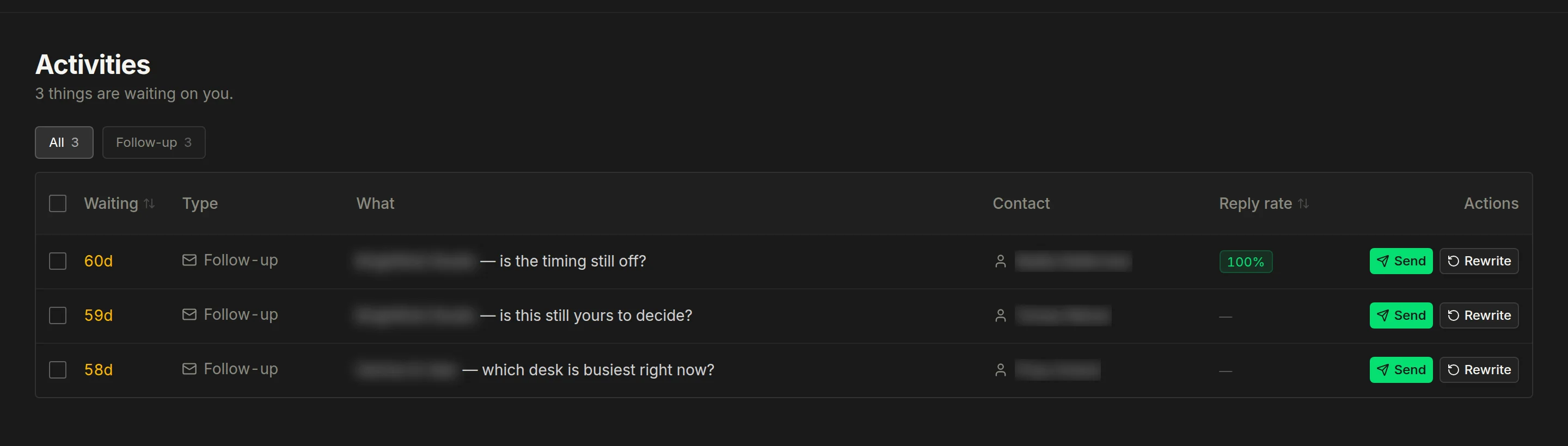
01Activities shows the queue
One page, a few groups: emails waiting for approval, decisions the AI is proposing, leads waiting for your reply. Each row says why it's there.
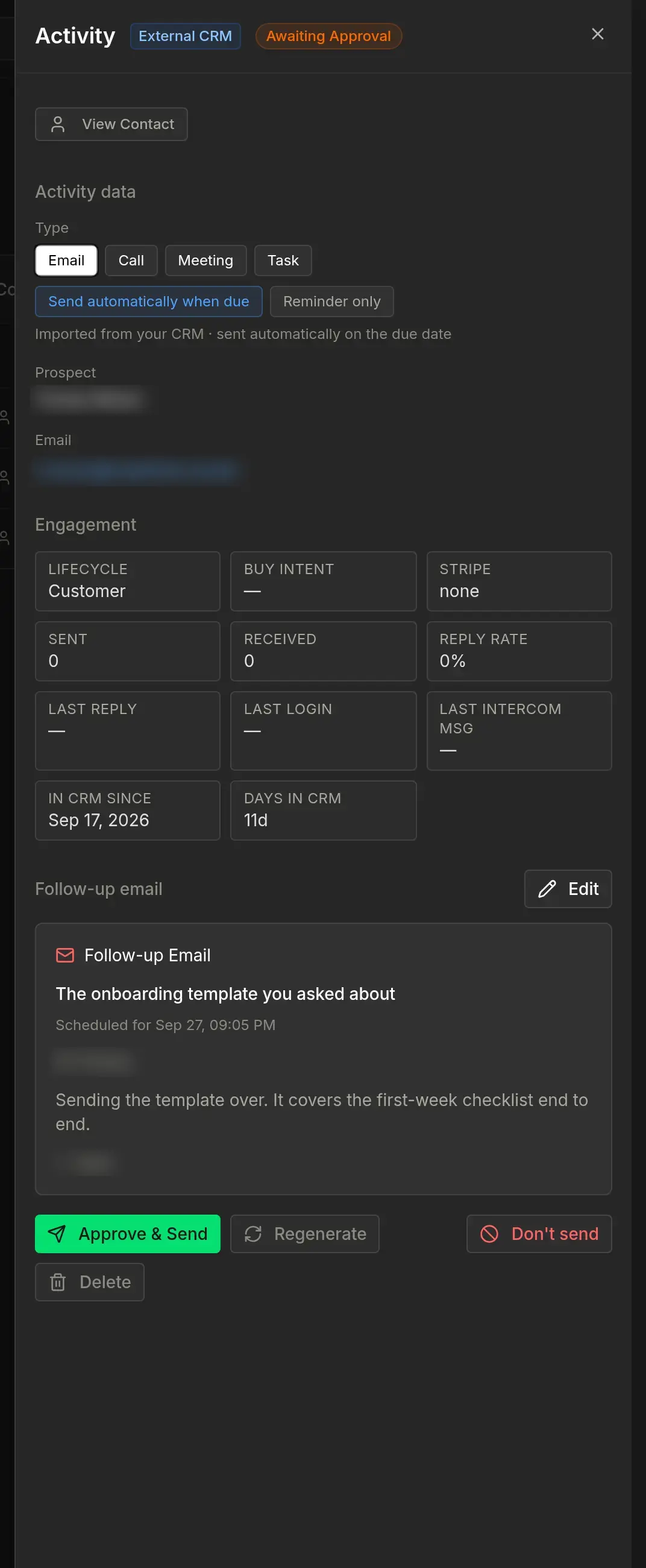
02Open a row, decide, move on
An email opens with the draft, the reason it's being sent now and the conversation behind it. Approve, edit, send later or don't send, and tell the AI why if you want it to learn.
03The Daily Brief comes to your inbox
Every morning you get an email with what's waiting for you and what the AI did since yesterday. When there's nothing to do, it says so in one line.
04Each teammate gets their own
In a team, everyone sees the queue for their own contacts, and can switch the Daily Brief off for themselves in settings.
What you get
A short list, not a long one
Routine follow-ups never reach the queue.
Every item explains itself
You know why it's there before you open it.
Nothing waits unseen
The morning email brings the queue to you.
Questions
Can I turn approval off?
Yes. Each automation can ask first or act on its own, and you can change it any time.
Do I get the Daily Brief if nothing happened?
You get a short version that says there's nothing waiting.
Stop writing follow-ups. Start closing.
Free to start, manual forever. Turn on AI when you want it.
Start for free